
Asset register software
for every unit you maintain.
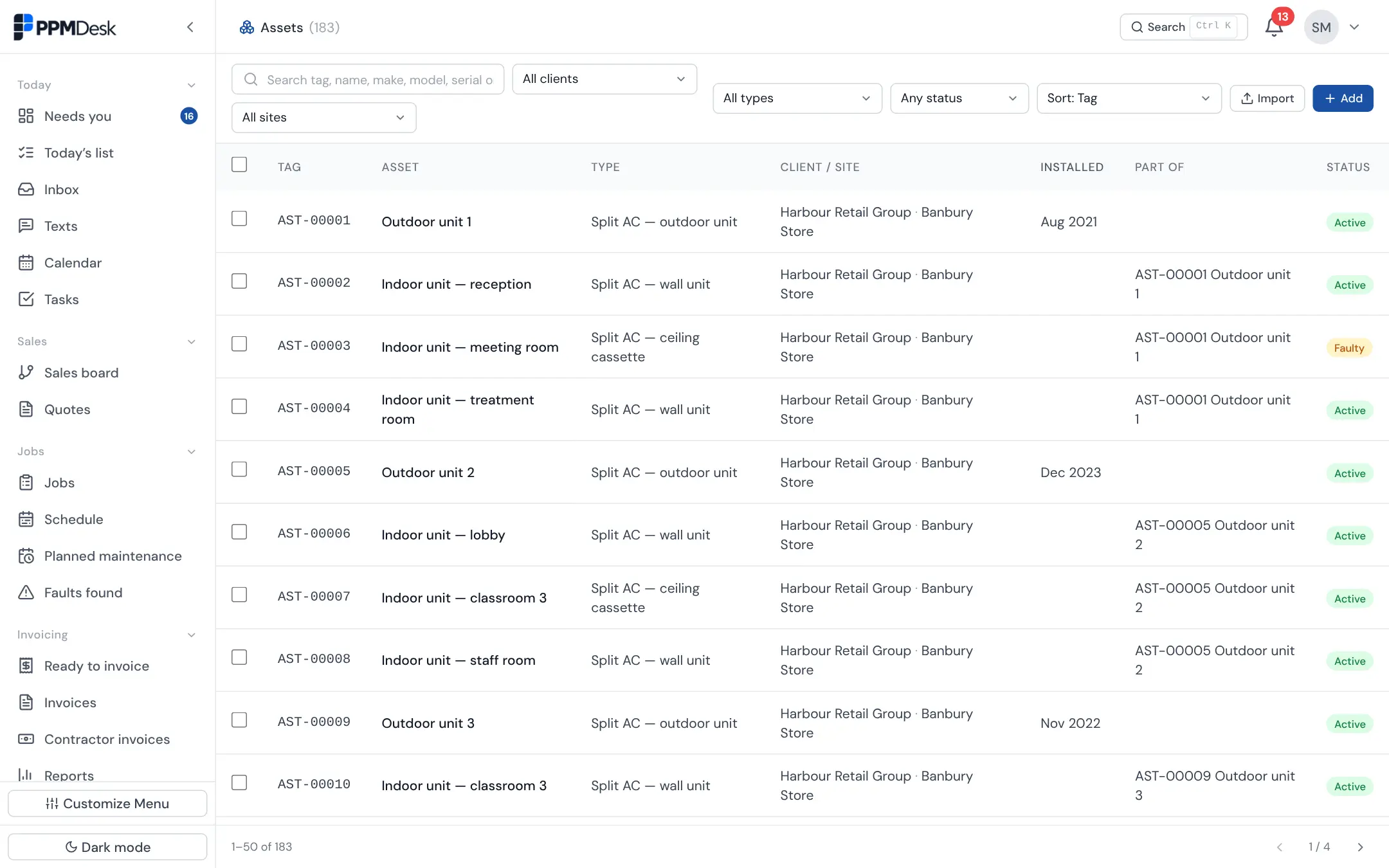
"Which indoor unit was serviced?" is hard to answer when a building has twelve of them and the job sheet says "AC unit". PPMdesk is asset register software that keeps a record of every unit at every client site, linked to every visit and fault on it, and a QR label on the unit shows your engineers its history when they scan it.
- 14-day free trial
- No card needed
- Cancel anytime
An engineer finds a unit that isn't on the register
A fridge-freezer the practice wants added to the contract. The engineer photographs its rating plate from the job sheet.
- Read the plate: Smeg, model FAB30RPK5UK, and the serial number
- Drafted a new unit at Summertown for the office to approve
- Once approved, it's on the register with its first visit in its history
- A QR label can be printed for it on a standard Avery sheet
What it is, where it is, what has been done to it
Each unit has its type, location in the building, make, model, serial number, refrigerant, install date and warranty, and which outdoor unit an indoor unit runs from. Search as you type, filter by client or site, and sort by install date to see what is due for replacement.
A label anyone can scan, showing the right amount
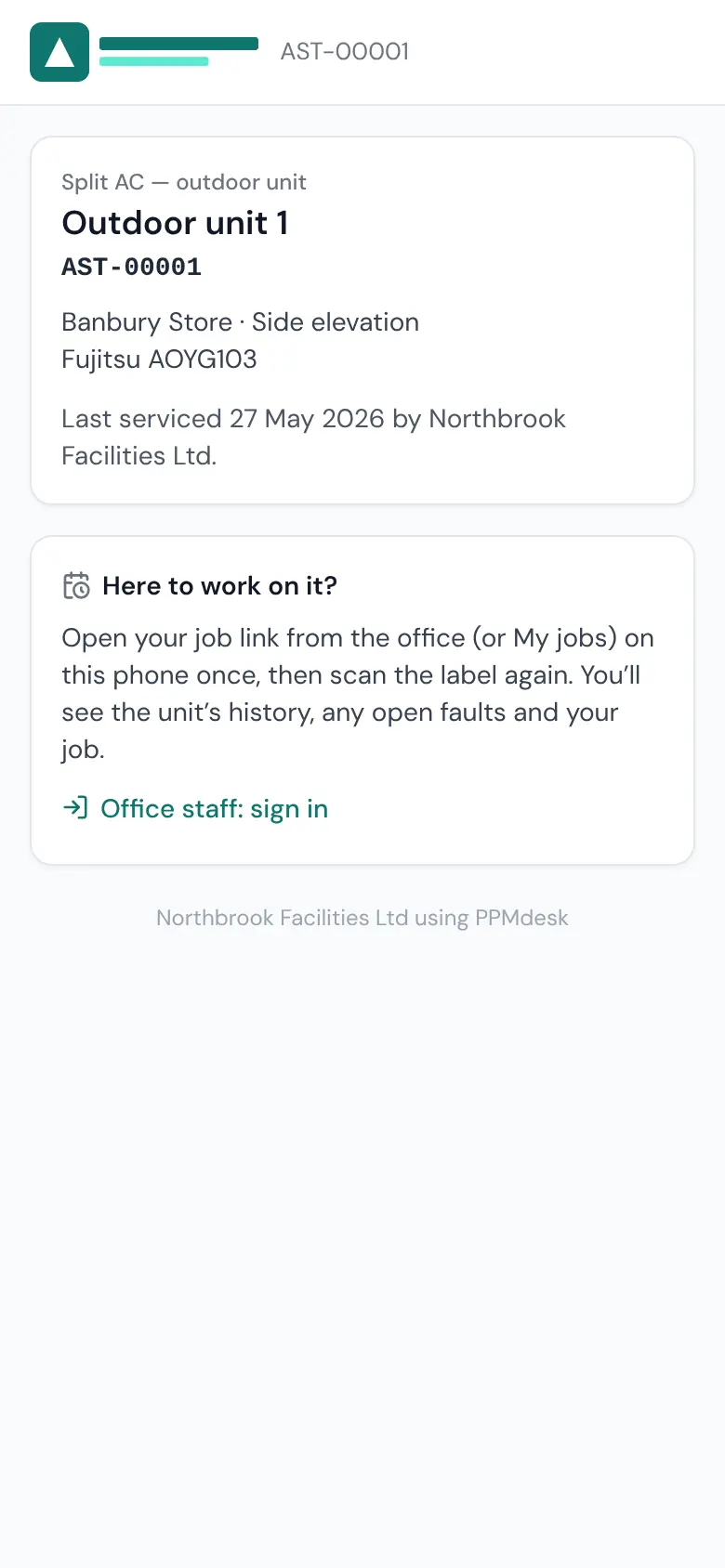
Print labels for one unit or a whole site. Scanned with any phone camera, a label shows the public only what the unit is. Your engineers and subcontractors with a job at that site see its history, open faults and a button into their job sheet. Your office team goes straight to the unit.
Asset register FAQs
What label sheets can I print QR asset labels on?
Standard A4 sheets: 21, 14 or 8 labels per sheet (Avery L7160, L7163 and L7165). You can start part-way through a sheet that has already been used.
Can anyone see a unit's history by scanning its label?
No. Anyone can see what the unit is and who looks after it. Only an engineer or subcontractor with a job at that site sees its history and faults, and only signed-in office users see everything.
Can I import my existing asset list?
Yes. Upload the spreadsheet you already have and PPMdesk works out which column is which.
Retention periods you set, data exports, and records removed when they should be.
Every firm's data is kept apart, with roles for owners, admins and office staff.
A code from a phone as well as a password, and you can require it for your whole team.
Encrypted on every connection, with sensitive details encrypted again in the database.
Every email, visit, signature and change is kept on the job, so you can show what happened.

Know every unit you look after.
Import your asset list and print your first labels today.
- 14-day free trial
- No card needed
- Cancel anytime