
Your branding
Invoices as PDFs with your logo, bank details and terms.
In most maintenance businesses there is money sitting in finished jobs nobody can invoice yet: the client's PO hasn't come, the subcontractor hasn't billed so the cost isn't known, the job sheet has no signature. Each one waits for someone to notice. PPMdesk is job invoicing software that shows every finished job that hasn't been invoiced, says exactly what is stopping it, and drafts the invoice from the job sheet the moment it can.
Arrived 08:05, left 09:20. Cleared a sludge blockage in the condensate drain, flushed it, cleaned the tray, ran the unit for 20 minutes with no leak. Signed by Graham Carter.
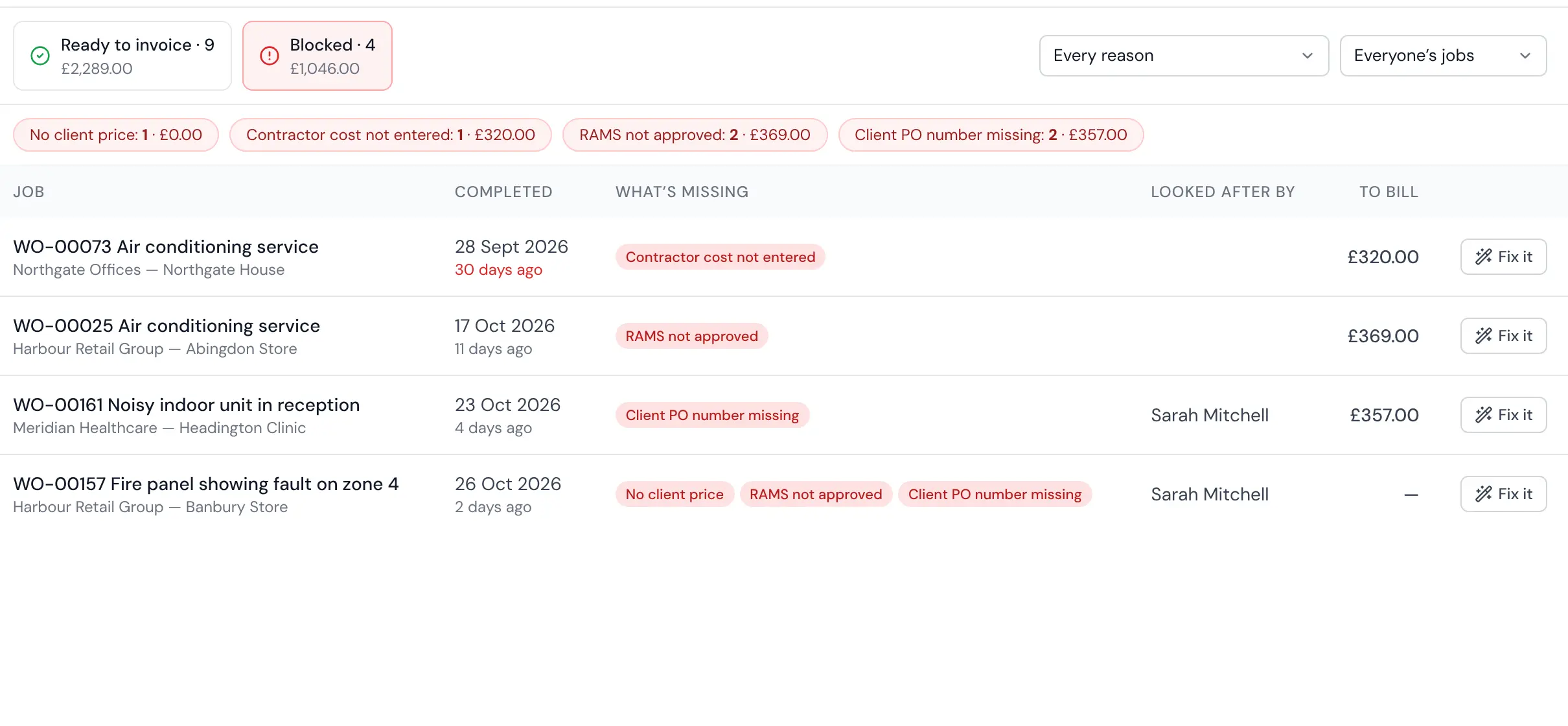
Ready to invoice lists every finished job with its value, contractor and margin. Blocked lists the rest with the reason (no price, no contractor cost, no job sheet, no PO, RAMS not signed) and the money held up by each reason.
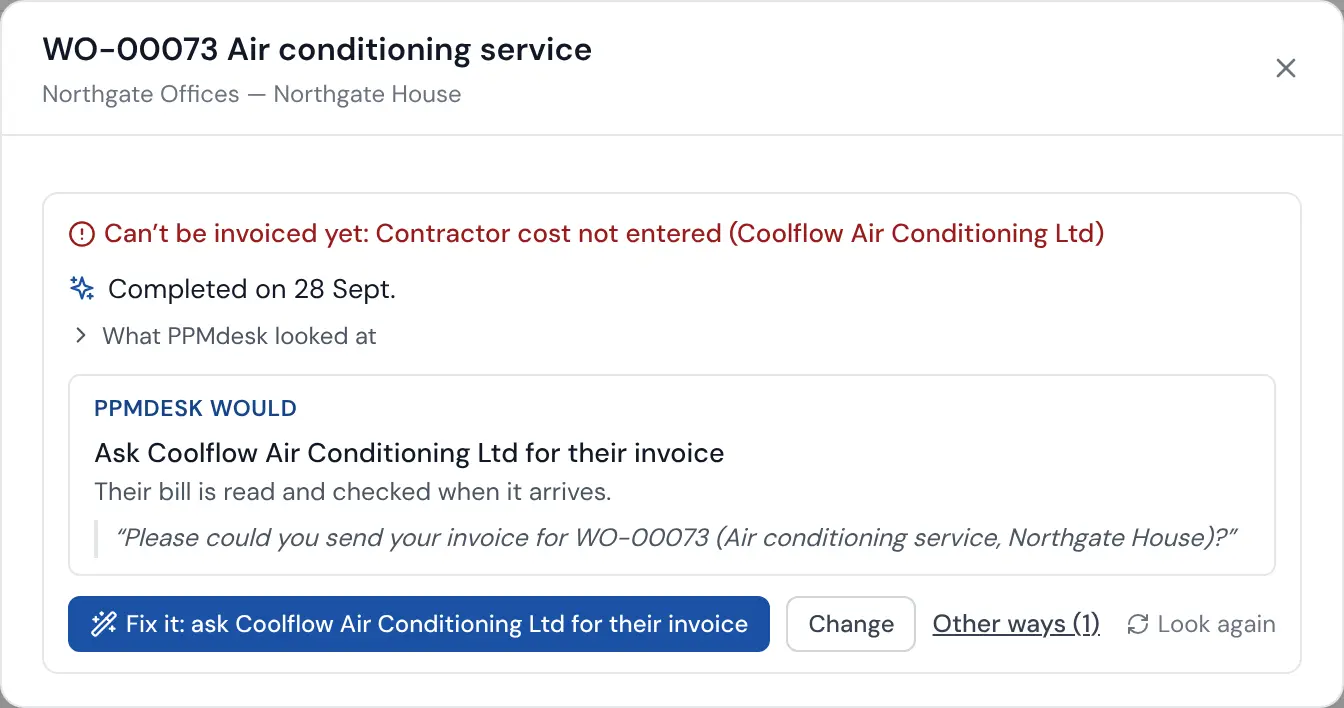
Open a blocked job and Fix it says why it is stuck in a sentence and what PPMdesk would do: ask the contractor for their invoice, ask the client for a PO, record the missing time. One click does it, with the email written and sent from the job's coordinator.
Invoices as PDFs with your logo, bank details and terms.
Invoices and contacts created in Xero; payments recorded there show here.
Overdue invoices chased with an email drafted for you.
Checked against the agreed cost, so margin is real.
Invoice several finished jobs on one invoice per client.
Turn VAT off for your firm and invoices follow.
Yes. With Xero connected, invoices are made in Xero and numbered by Xero. Send them and record payments in Xero; the payments show in PPMdesk.
From the time on site and your rates: a callout charge, an hourly rate, a minimum charge and the steps after it (for example one hour minimum, then quarter hours), plus parts with your markup. Quoted and contract prices are used instead when a job has one.
For a finished job that can't be invoiced, it explains why in a sentence and proposes the steps to put it right. Approve, and PPMdesk does them, sending any emails from the job's coordinator.
Retention periods you set, data exports, and records removed when they should be.
Every firm's data is kept apart, with roles for owners, admins and office staff.
A code from a phone as well as a password, and you can require it for your whole team.
Encrypted on every connection, with sensitive details encrypted again in the database.
Every email, visit, signature and change is kept on the job, so you can show what happened.
Start a free trial and invoice your next finished job in one click.
