
Subcontractor management software
that checks, books and pays right.
Subcontractors cover the trades you don't employ, and they are where the risk sits: insurance lapsed, an engineer without the right certificate, an invoice higher than agreed, or no invoice at all so the job can't be billed. PPMdesk is subcontractor management software that keeps their paperwork in date, only suggests them for work they are qualified for, and reads their bills against what was agreed.
- 14-day free trial
- No card needed
- Cancel anytime
A subcontractor's invoice arrives by email
Please find attached our invoice CF-2291 for the air conditioning service at Cotswold Gate Inn, WO-00149. £185.00 plus VAT.
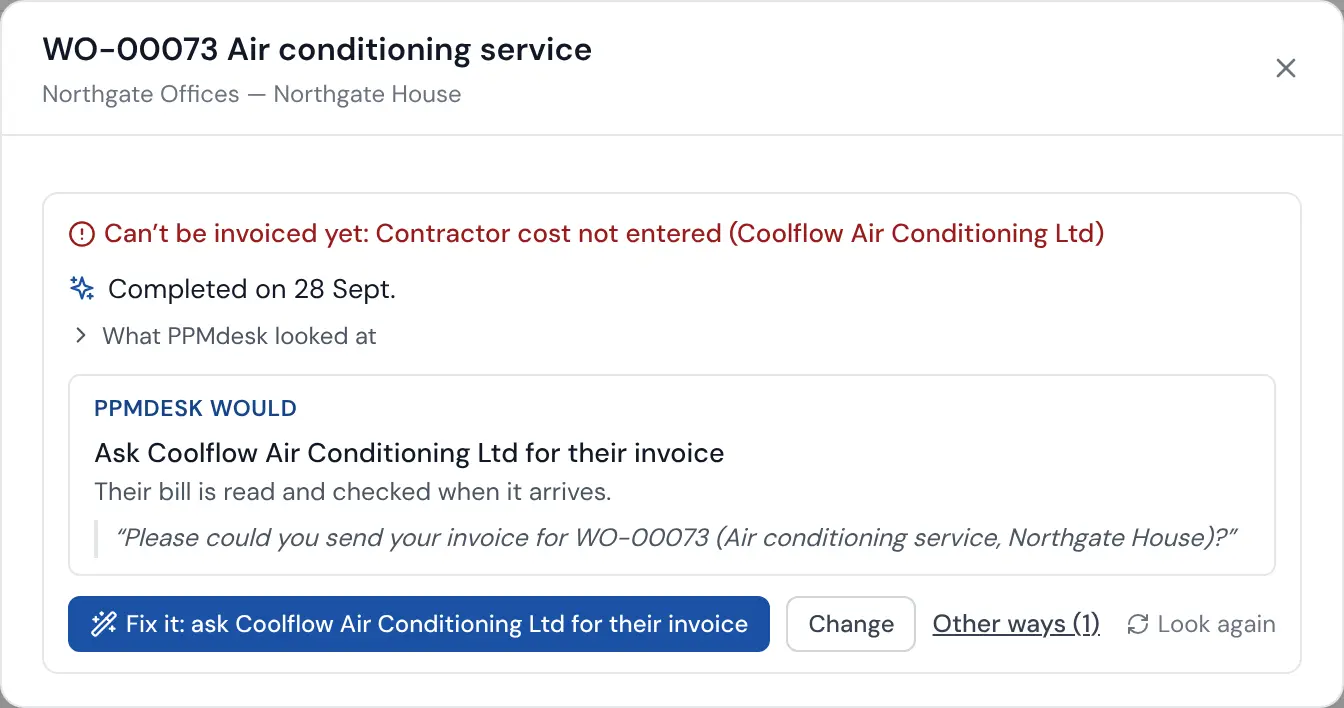
- Read the PDF: Coolflow, CF-2291, £185.00 + £37.00 VAT, job WO-00149
- Matched it to the job and the agreed cost of £185
- Within your tolerance, so marked approved (if you've switched that on)
- The job's cost is now known, so it moved to Ready to invoice
Certificates in date, or not suggested
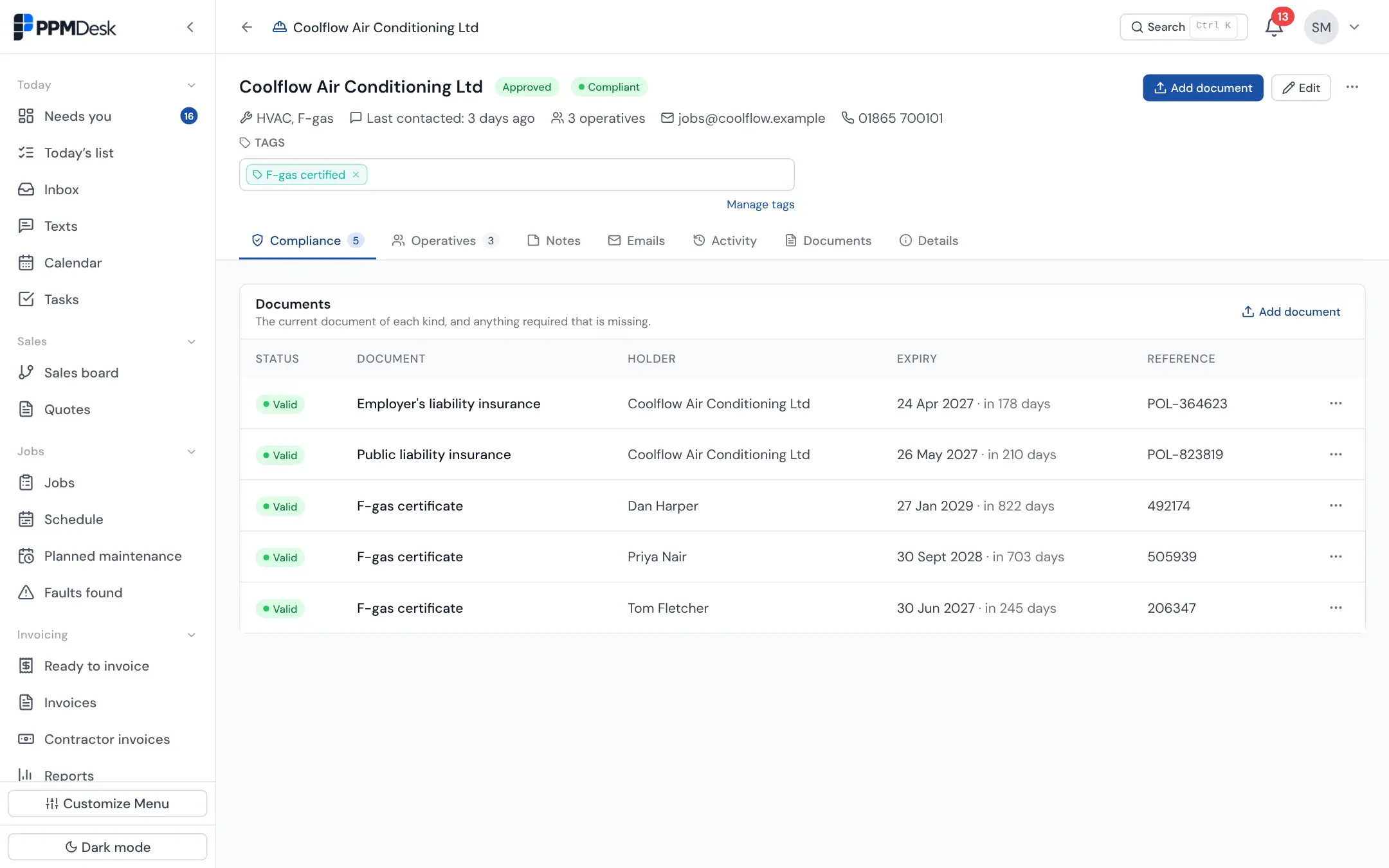
Forward or upload a certificate and PPMdesk reads who it covers, what it is and when it expires. Each trade lists the certificates its work needs, so an engineer whose F-gas certificate has expired isn't suggested for air conditioning work, and the reason is shown.
- Company documents (insurance) and each engineer's own certificates
- Expiring and expired documents flagged on every record
- Companies House details looked up when you add a company
Jobs offered by link, accepted on their phone
Each job goes to the subcontractor by email or text. They accept or decline, name who is going, and fill in the same job sheet as your own engineers. If their invoice doesn't arrive, Fix it chases them with the email written.
Subcontractor management FAQs
What is a subcontractor portal?
A place where subcontractors receive and respond to work without being given full access to your system. In PPMdesk it is a link per job: they accept it, name their engineers, fill in the job sheet and upload their invoice.
Do subcontractors need an account or a licence?
No. They work from links, and their documents can simply be emailed in. Only your office users are charged for.
How does PPMdesk know a certificate has expired?
It reads the expiry date from the document when it is added. You can check and correct it, and anything expiring or expired is flagged on the record and when choosing who does a job.
Retention periods you set, data exports, and records removed when they should be.
Every firm's data is kept apart, with roles for owners, admins and office staff.
A code from a phone as well as a password, and you can require it for your whole team.
Encrypted on every connection, with sensitive details encrypted again in the database.
Every email, visit, signature and change is kept on the job, so you can show what happened.

Know every subcontractor is covered.
Add your subcontractors and forward their certificates; PPMdesk reads the dates.
- 14-day free trial
- No card needed
- Cancel anytime